Make Collectible Coins in Roblox Studio
Build three yellow coins that disappear once when touched and increase the collecting player’s leaderboard Score from 0 to 3.
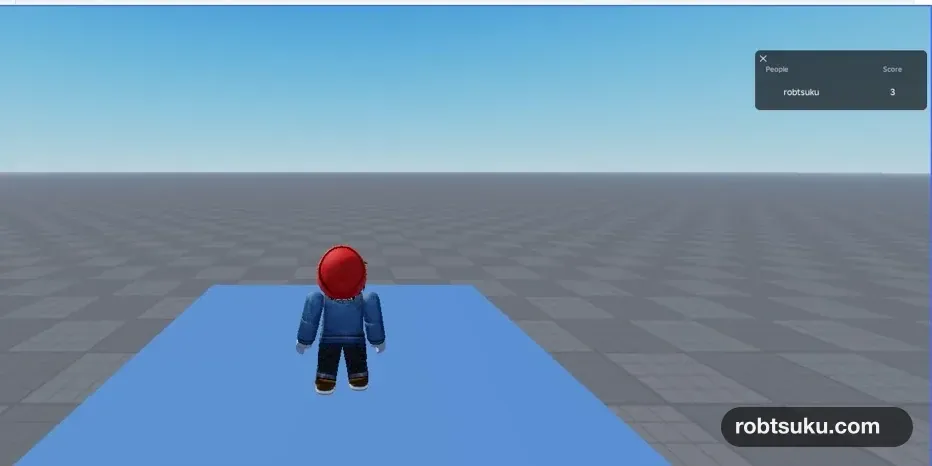
Place three yellow coins in the world. Each coin should disappear when a character touches it, and the collecting player’s Score should increase exactly once. After all three are gone, the player list should show Score = 3.
This takes about 8 minutes and costs no Robux.
Start from the project in Add a Score Leaderboard. Pressing Play should show Score = 0 beside your name. If adding, duplicating, or resizing a Part is still unfamiliar, keep Roblox Studio Parts open as a reference.
1. Build three coins inside a Coins Folder
Add a Folder to Workspace in Explorer and rename it Coins. A Folder groups related objects without adding a visible object to the 3D world.
Add one Part inside Coins, rename it Coin1, and set these Properties:
| Property | Value |
|---|---|
| Shape | Cylinder |
| Size | 0.8, 4, 4 |
| Orientation | 0, 90, 0 |
| Anchored | on |
| CanCollide | off |
| CanTouch | on |
| Material | Neon |
| Color | Bright yellow |
Duplicate Coin1 twice. Rename the copies Coin2 and Coin3, then space the three Parts apart. Their exact positions and color may fit your project; the Script only requires each coin to be a Part inside Coins.
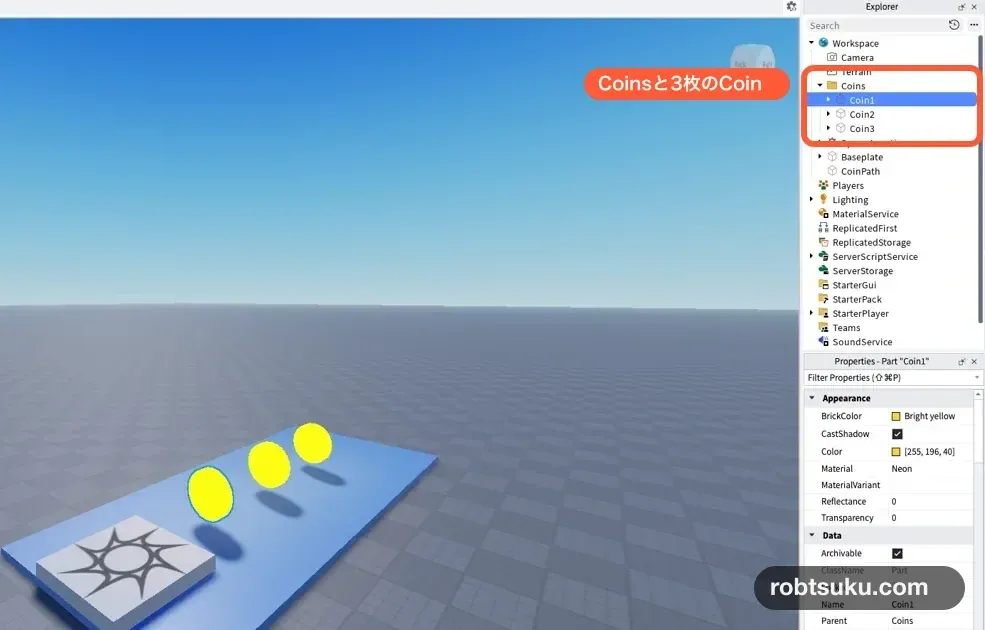
Place the coins about 2–3 studs above a floor that the character can reach from SpawnLocation. Leave at least one character-width between them. A coin buried in the floor is hard to see, while one placed too high may be impossible to touch.
Tip: CanCollide and CanTouch control different things
CanCollide = falselets the character pass through the coin.CanTouch = truestill sends a touch signal to the Script. This combination creates a collectible that does not block movement.
Confirm this hierarchy in Explorer:
Workspace
└─ Coins
   ├─ Coin1
   ├─ Coin2
   └─ Coin3
Do not leave Coin1 beside the Folder at the same level. The code in the next step opens Coins and connects every Part it finds inside.
2. Add the CoinCollector Script
Add a normal Script to ServerScriptService, rename it CoinCollector, and leave the existing Leaderboard Script in place.
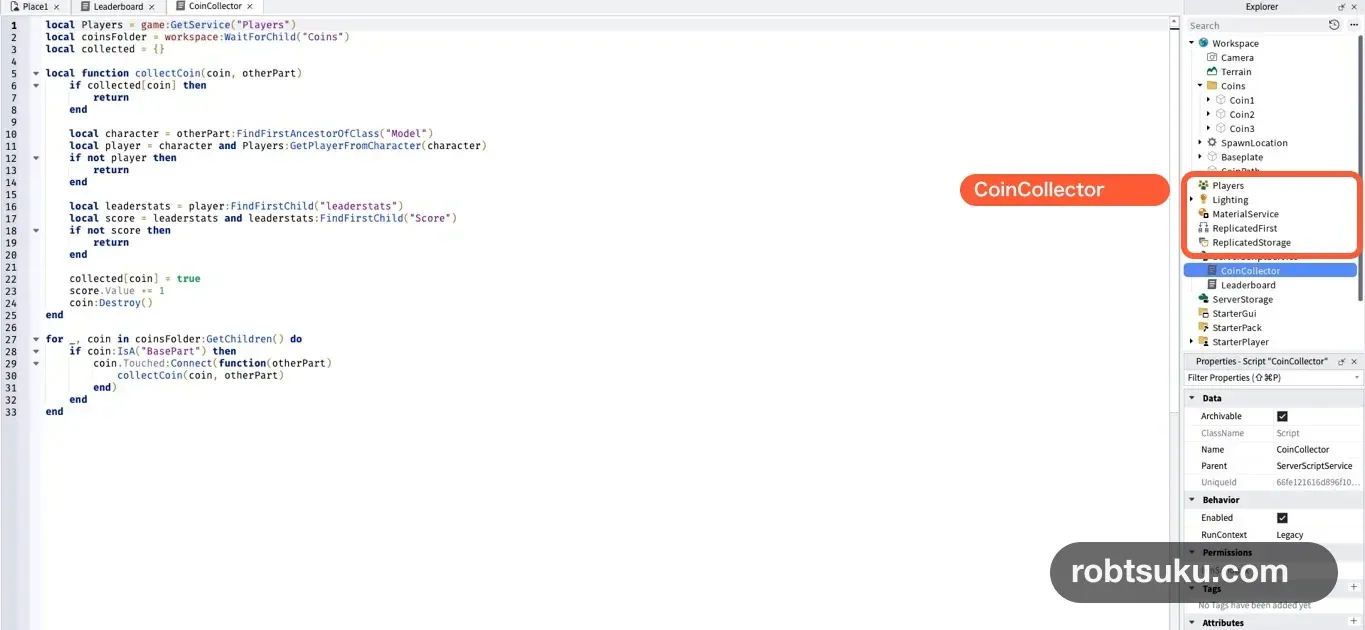
Delete the starter code in CoinCollector, then paste this:
local Players = game:GetService("Players")
local coinsFolder = workspace:WaitForChild("Coins")
local collected = {}

local function collectCoin(coin, otherPart)
	if collected[coin] then
		return
	end

	local character = otherPart:FindFirstAncestorOfClass("Model")
	local player = character and Players:GetPlayerFromCharacter(character)
	if not player then
		return
	end

	local leaderstats = player:FindFirstChild("leaderstats")
	local score = leaderstats and leaderstats:FindFirstChild("Score")
	if not score then
		return
	end

	collected[coin] = true
	score.Value += 1
	coin:Destroy()
end

for _, coin in coinsFolder:GetChildren() do
	if coin:IsA("BasePart") then
		coin.Touched:Connect(function(otherPart)
			collectCoin(coin, otherPart)
		end)
	end
end
Touched sends the Part that made contact as otherPart. A hand, foot, or another body Part may trigger it, so the Script works back from that Part to the character Model.
Connect the same behavior to all three coins
The final for loop checks every child inside Coins. If the child is a BasePart, the Script connects that coin’s Touched event to collectCoin(). You do not need to put a separate Script inside each coin.
workspace:WaitForChild("Coins") waits for the Folder to exist before continuing. The spelling and capitalization must match Explorer. A Folder named Coin or coins will not satisfy this line.
Find the Player who touched the coin
otherPart:FindFirstAncestorOfClass("Model") moves upward from the touching body Part to the complete character Model. Players:GetPlayerFromCharacter() then finds the Player who controls that character.
Tip: A character and a Player have different jobs
A character is the 3D body that walks through the world. A Player stores participant data such as the name and Score.
GetPlayerFromCharacter()connects the body that touched the coin to the correct participant. An NPC or a loose Part has no matching Player, so the Script returns without awarding a point.
After finding the Player, the Script looks for leaderstats and Score. If either object is missing, it returns instead of producing an error that could interrupt other game systems.
Count only the first contact
A Roblox character contains several body Parts. One coin can receive several Touched signals in a short moment as the feet and legs pass through it.
These three lines keep one coin equal to one point:
collected[coin] = true
score.Value += 1
coin:Destroy()
The Script records the coin first. A second contact then stops at the opening if collected[coin] check. Only the first valid contact adds one point and destroys the coin.
Keep that order. Destroying the coin before recording or changing the Score makes the event harder to reason about and can hide where a failed test stopped.
3. Test one coin, then all three
Press Play and walk into Coin1. Stop at this checkpoint before collecting the others:
Coin1disappeared;Coin2andCoin3remain;- the player list shows
Score = 1.
If Score remains 0, press Stop. Confirm that Coin1 is inside Workspace > Coins and CoinCollector is inside ServerScriptService. Fixing the first contact is faster than walking through all three with the same broken setup.
Start a fresh Play and collect the coins in order.

The complete sequence is:
- Three coins are visible and Score is 0.
- Each contact removes only that coin.
- Score changes to 1, then 2, then 3.
- No coins remain after the third contact.
Press Stop. All three Parts return in edit mode, and a new Play starts from Score 0. That reset is expected: this guide changes the current session but does not save the result yet.
Shared behavior with two players
The coins exist on the server, so all players share the same three objects. If Player1 takes Coin1, it disappears for Player2 as well, and only Player1 receives the point.
That behavior fits a race where the first person to each coin wins it. Giving every participant a private copy is a different feature and is outside this guide’s one visible goal.
If coins do not work
- Score is missing: Check that
Leaderboardstill creates lowercaseleaderstatsandScore. - A coin does not disappear: Check that all three Parts are inside
Workspace > Coinsand have CanTouch on. - Touching does nothing:
CoinCollectormust be a normal Script, not a LocalScript. - One coin adds two or more points: Place
collected[coin] = truebeforescore.Value += 1. - Output shows a red error: Open the first red line and check quotation marks, parentheses, capitalization, and missing
endkeywords.
After a change, press Stop and begin a new Play. This restores the three Parts and clears the collected table so every test starts from the same state.
Completion check
Workspace > Coinscontains three Parts in edit mode.ServerScriptServicecontains bothLeaderboardandCoinCollector.- Each coin disappears after its first valid contact.
- Score increases by one per coin and ends at 3.
- A new Play restores the coins and starts Score at 0.
The collection loop now works for one shared set of coins. Save the player’s coin Score next so it returns in a later session.
Official sources
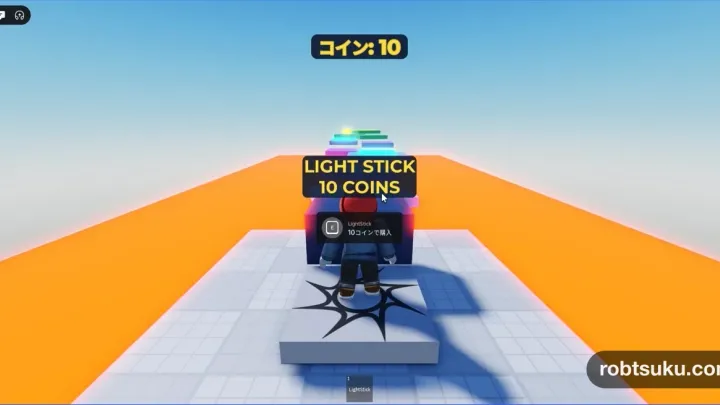
Display a Coin Counter in Roblox Studio
Build a ScreenGui and TextLabel that watches Score and updates immediately when a player collects, receives, or spends in-game coins.
Build this feature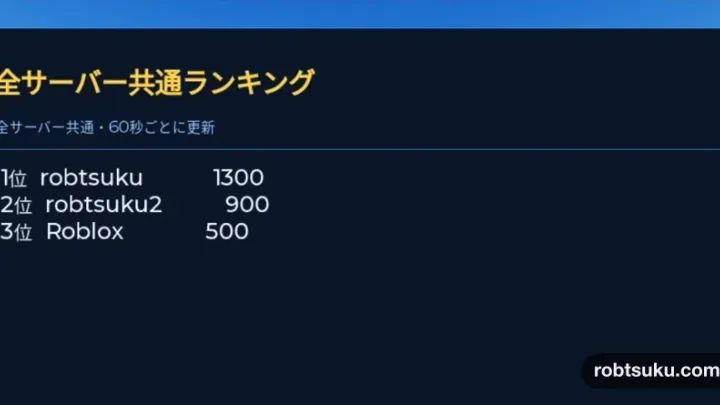
Build a Global Leaderboard in Roblox Studio
Save Score values in an Ordered Data Store and display the ten highest scores from every server on an in-game leaderboard.
Build this feature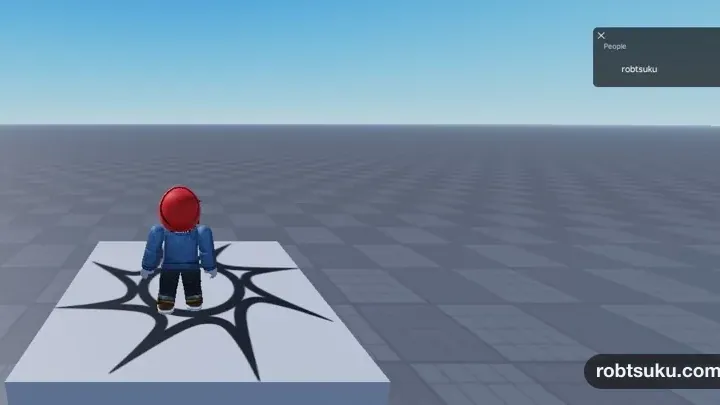
How to Add a Score Leaderboard in Roblox Studio
Add a Score column to Roblox’s built-in player list and give every player a starting value of 0 with one server Script.
Build this feature